Deck
/
3D
/
Six Moves
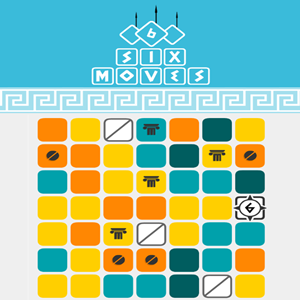
This is a challenging match 3 game set in a 7 by 7 grid of 49 cells.1.Move your white block around the grid to displace other cells.2.Within 6 moves create matches with 3 or more identically colored tiles in a row horizontally or diagonally.3.Sum the cells to high enough values to defeat all the fighters atop each stage.4.Use special moves to help you when you are stuck, or take the loss and try again.
← Back
Live embed
Tap Start game to load the iframe.
Highlights
Free to play in browser
Keyboard & touch
No install
FAQ
Is Six Moves free?
Yes — play online at no charge.
Mobile support?
Works on most modern phones and tablets.
Download required?
No — everything runs in the page.
Snapshot
Genre 3D
Platform Web
Tech HTML5
How to play
Desktop:1.Press the A key or the left arrow key to move left a square.2.Press the D key or the right arrow key to move right a square.3.Press the W key or the up arrow key to move up a square.4.Press the S key or the down arrow key to move down a square. Touchscreen devices:Tap the screen with a finger and swipe in the direction you wish to move. Controls & indicators:1.Your game score is shown top center.2.Enemies above the grid show how many hit points it takes to defeat them and what color you need to match to defeat them.3.Your box with arrows on it shows a number indicating how many moves you have to make a valid set.4.Each merged block in the grid shows a numerical value on it.5.When you lose a level the defeated screen shows what level number you were on.6.In the lower right there are buttons for your three special power moves.6.1.You get unlimited moves with the shift up option, but you only get 3 credits each for the other 2 power move types.
 gameinspire